Combine PDFs into a binder
Board packets, hearing bundles, committee agendas: the deliverable is one PDF, organized by numbered tabs, with a table of contents people can actually click. Building that by hand (a ToC in Word, then appending PDFs one by one) takes an afternoon. Here it is in one step.
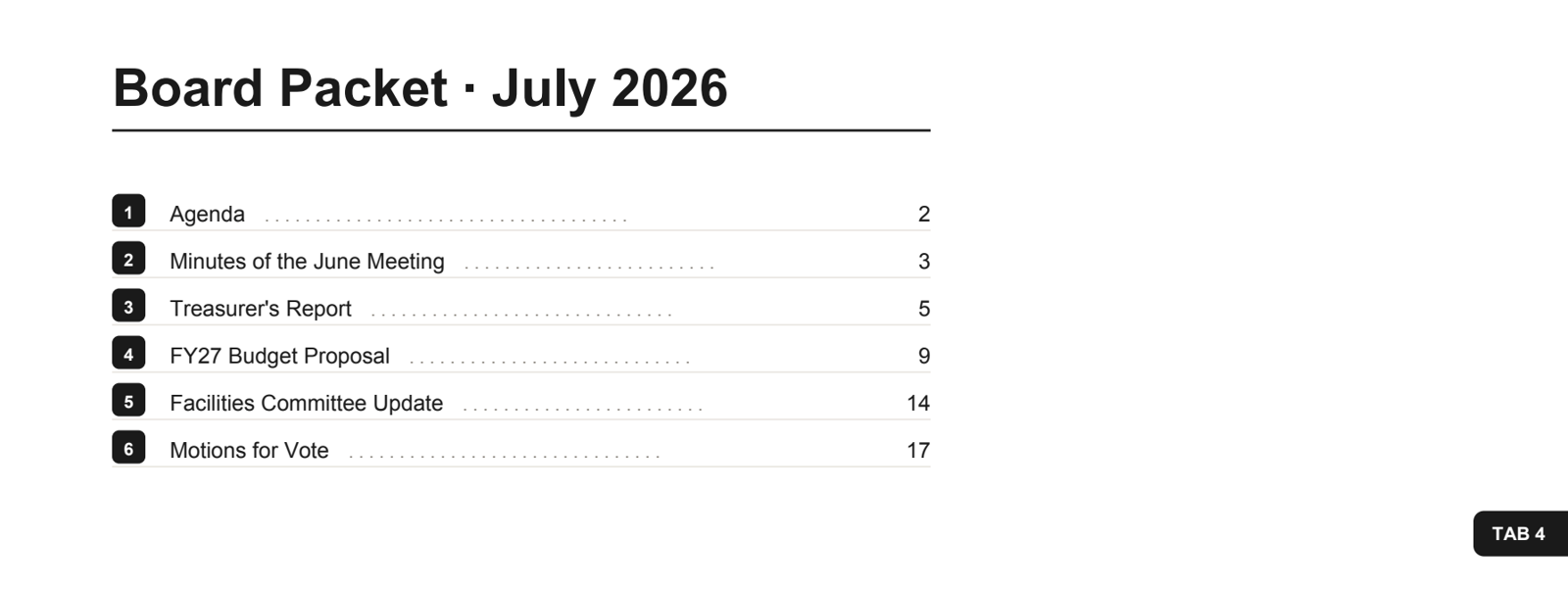
The generated Contents page and a section's edge tab. Every row is a real link; every document gets a bookmark; tabs stagger down the page edge like a physical tab set.
What you get
- A Contents page, generated and typeset for you: numbered entries, dot leaders, page numbers. Every row is a real PDF link that jumps to its document.
- Bookmarks in the sidebar of any PDF viewer, one per document.
- Numbered edge tabs on each document's first page, staggered like a physical binder, so flipping through feels like flipping tabs.
- Titles that make sense. Sections are named from each file's Title metadata or its filename, or you name them yourself. Boilerplate like "untitled" and "Microsoft Word - …" is ignored.
Do it online
- Open pdfblah.com and drop in your PDFs, in binder order.
- In the Output panel, turn on Merge into one PDF, then Table of contents. Add Numbered tabs if you want the edge tabs.
- Download binder. One PDF, ready to send or print. The Contents can be set in Helvetica or Times.
Make it a right-click on your Mac
One command installs a Finder Quick Action called Merge into Binder:
curl -fsSL https://pdfblah.com/binder-mac.sh | shSelect the PDFs in Finder, right-click, Quick Actions → Merge into Binder.
They combine in name order (prefix files 01-, 02- to set it), and the
finished binder opens from ~/Downloads. If you also want the
Clean Scan action, the two install side by side.
From the command line
pip install pdfblah

# a binder: clickable Contents page, bookmarks, numbered edge tabs
pdfblah combine *.pdf -o binder.pdf --toc --tabs

# name the sections yourself, and set the Contents in Times
pdfblah combine a.pdf b.pdf c.pdf -o binder.pdf --toc \
  --titles "Agenda,Minutes,Budget" --toc-font serif
The tool is open source (MIT) and runs fully on your machine, so nothing is uploaded. See the pdfblah project on GitHub.
Hundreds of files? Skip the drag-and-drop
If you build big client binders and Acrobat's Combine Files hangs or crashes when a real batch hits the window, the fix is to stop merging through a GUI at all. The CLI above is free, runs on your machine, and merges hundreds of PDFs in one deterministic command: no upload, no progress bar to freeze, nothing lost if something goes wrong, and the exact same command works again next week.
# one client's folder, in name order, into one binder
pdfblah combine clients/acme/*.pdf -o binders/acme.pdf --toc --tabs

# every client at once
for d in clients/*/; do
  pdfblah combine "$d"*.pdf -o "binders/$(basename "$d").pdf" --toc --tabs
done
The Contents page and page numbers handle long binders on their own: a ToC over hundreds of entries just flows onto more pages. The online workbench is sized for board-packet batches, not hundred-file binders (uploads are capped at 20 MB); recurring bulk jobs belong in the CLI.
Tips
- File order is binder order. On the command line and in the Quick Action, name files
01-agenda.pdf,02-minutes.pdfand sorting does the rest. - Set a real Title in each document's metadata and the Contents page names itself.
pdfblah meta in.pdf out.pdf --set title="Q2 Financials"does it in one line. - A long ToC flows onto more pages by itself, and the page numbers account for them.
- Stack edits in the same download: redact a name, add page numbers, or set a password, and the binder comes out with all of it applied.