Run pdfblah on your own machine
You do not have to upload anything. The same tool behind pdfblah.com is free and open source, and runs entirely on your computer: it opens a web interface in your browser, or you can drive it from the command line. Your PDF never leaves your machine.
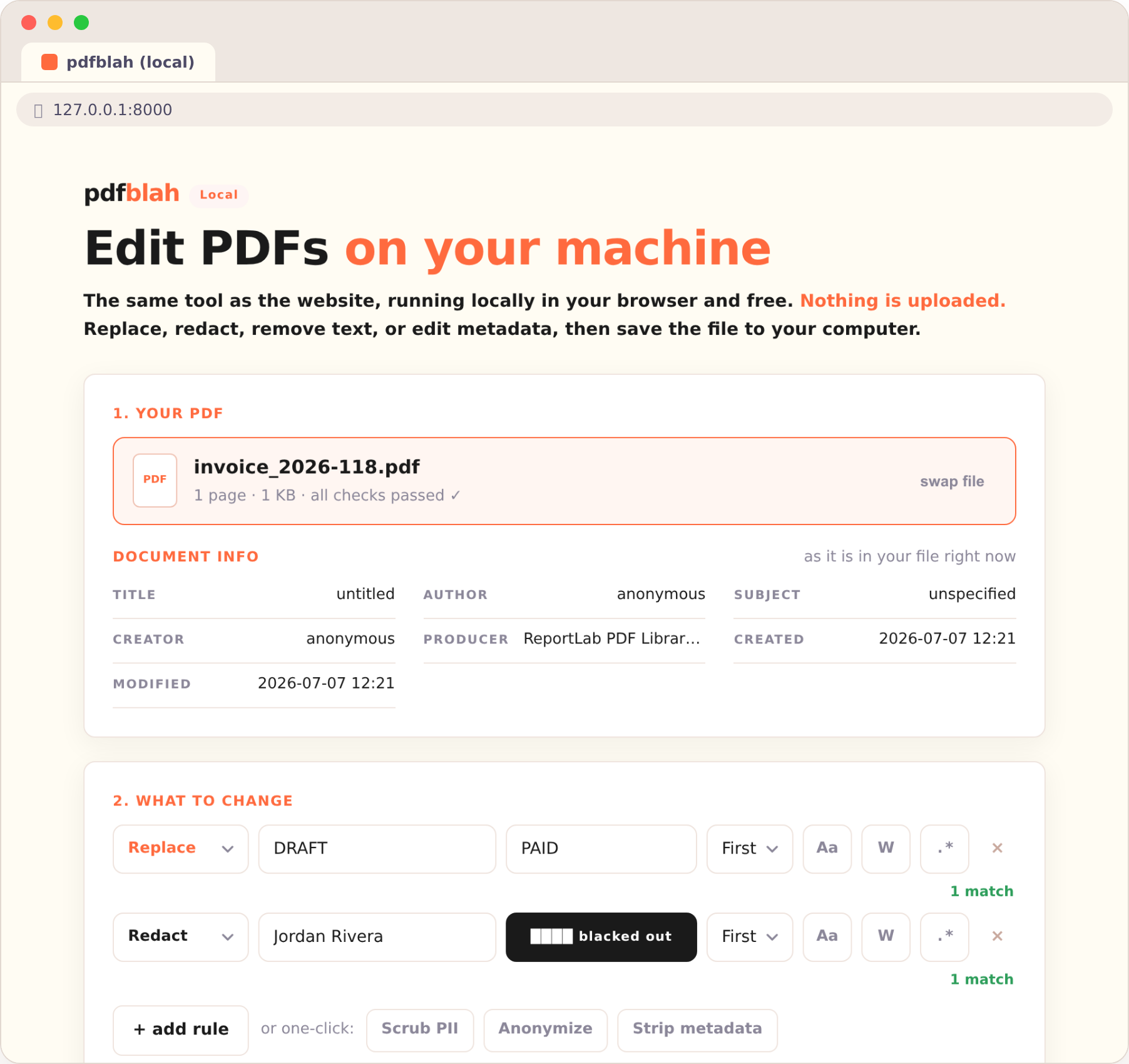
Why run it locally
- Private: nothing is uploaded and no server is involved, so sensitive documents stay on your machine.
- Free: both the app and the CLI are open source (MIT), with no account and no per-document charge.
- No limits except your hardware: big files and long documents are fine.
- Same result: it is the same engine as the website, so replace, redact, remove, scrub, anonymize, and metadata edits all behave identically.
Install it
It's a normal Python package (Python 3.9+): nothing to compile, nothing to sign. One command installs both the app and the CLI:
curl -fsSL https://pdfblah.com/install.sh | shirm https://pdfblah.com/install.ps1 | iexpipx install pdfblahThe app, in your browser
Run one command and the tool opens in your browser, served from your own machine: drop in a PDF, add your rules, and save the edited file to your computer. No watermark, no upload, no sign-in. Close the terminal window to stop it.
pdfblah guiThe command line
For scripts, bulk jobs, and CI pipelines, use the CLI. It edits one file or a whole folder in a single run and prints a report of what changed.
# replace text
pdfblah in.pdf out.pdf --find "DRAFT" --replace "PAID" --scope all

# redact (remove the text and draw a bar)
pdfblah redact in.pdf out.pdf --find "Jordan Rivera"

# scrub personal data, or read and strip metadata
pdfblah scrub in.pdf out.pdf
pdfblah meta in.pdf

# many changes at once, from a rules file
pdfblah in.pdf out.pdf --rules rules.txt
A rules file is one rule per line, FIND | REPLACE | FLAGS, and works the
same in the app and on the site. See bulk
find and replace for the full format.
Open source
The engine, the CLI, and the local app are all MIT licensed. Read the code, file an issue, or contribute at the pdfblah project on GitHub.